
AI document extraction
Upload a tenancy agreement, certificate or receipt. Review extracted details and their source before approving the record.
You check the result. Extraction does not approve a tenancy or certify compliance.
Bellsoph · UK landlord software
Less time typing up paperwork. Less chasing the next update. Get help with documents, portfolio questions, rent reminders and repairs, with your property records together in one place.
Updated
If you manage your own properties, you probably know the routine. A certificate is in one inbox, a receipt is on your phone and the tenancy details are in a spreadsheet. Bellsoph gives that information a home.
The AI helps with reading documents and picking out details. You review what it found before approving it. Your property records stay connected to the paperwork they came from.
There are also public UK property data pages and calculators when you want to research an area or run the numbers on a rental.
Read documents, check the details and keep everyday admin connected to the right property. You stay involved where a decision needs your attention.
Upload a tenancy agreement, certificate or receipt. Review extracted details and their source before approving the record.
You check the result. Extraction does not approve a tenancy or certify compliance.
Keep properties, units, tenants, tenancies and supporting files linked in your workspace.
You confirm ownership, property placement and tenancy details.
Keep rent schedules, invoices, recorded payments and expenses with their receipts together.
Check each payment against the right tenancy and keep the evidence with the record.
Review certificate records, expiry dates and missing evidence. AI highlights issues recorded in a document, such as unsatisfactory EICR results or gas safety warnings, for you to check before saving.
You review the findings against the original certificate. An uploaded certificate does not automatically satisfy every legal obligation.
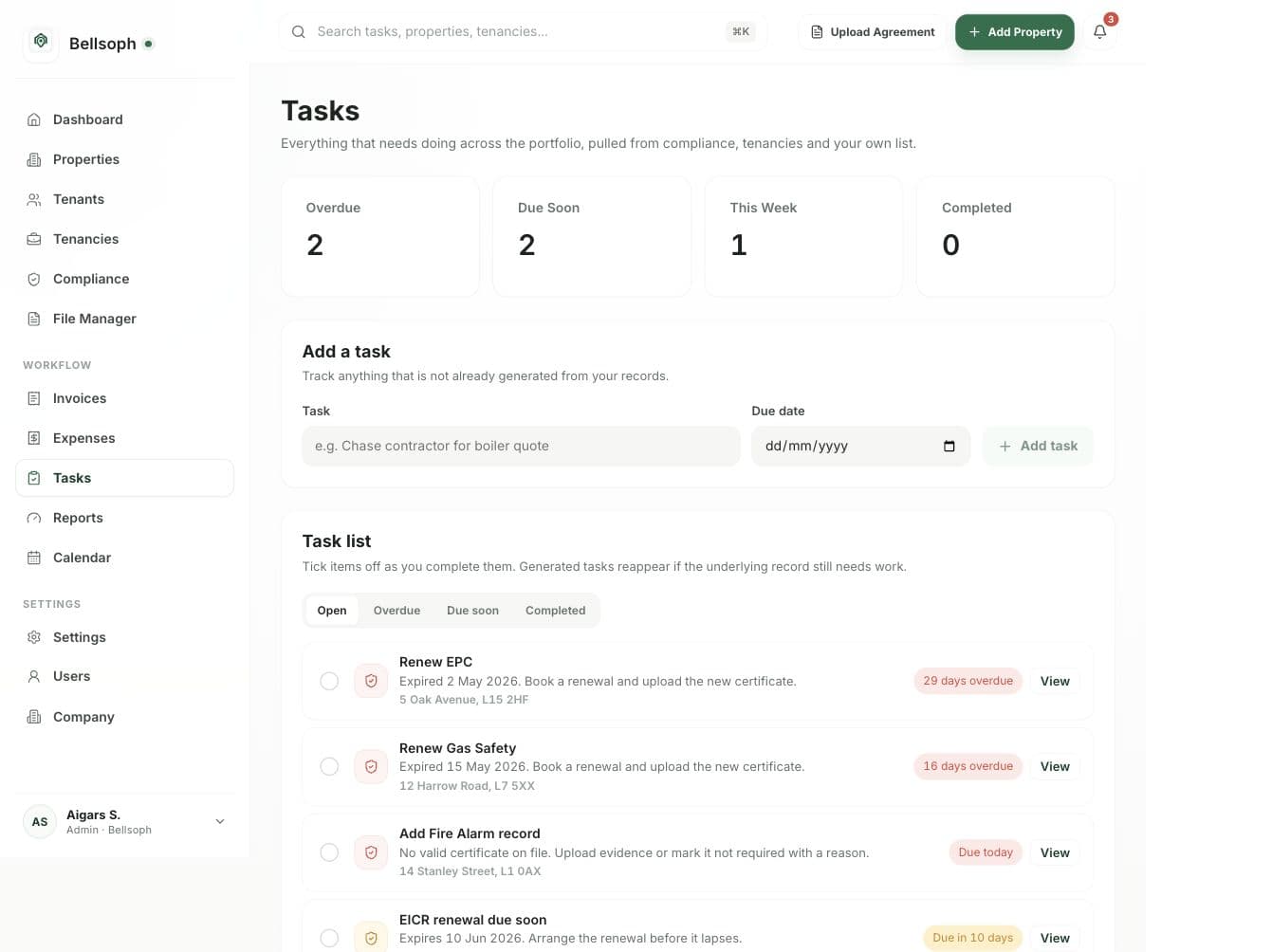
Record maintenance tasks, organise files and see upcoming work linked to your portfolio.
Keep the task and its evidence linked to the right property, so you can pick it up without searching through separate files.
Research published prices, rents and yields alongside the software used to organise your properties.
Source periods are shown. Market indicators and estimates are not guaranteed outcomes.
Find an answer, prepare a reply or move a repair along. Bellsoph uses the details in your portfolio to help you get the next step ready.
Finding an answer means opening several records.
Ask about overdue rent, upcoming certificates or property expenses. Get an answer with links to the records behind it.
Answers use the records you have permission to see. Missing information is shown clearly, and asking a question does not change your records.
Keeping track of late rent and the last conversation takes time.
Prepare a reminder using the rent schedule, recorded payments and previous conversations.
You check each reminder before it is sent. Pause contact when needed and keep the conversation history together.
Repair details, photos and quotes arrive in separate conversations.
Bring a reported issue, suggested next action, contractor quote and completion evidence into one job linked to the right property.
You review the urgency, approve spending and confirm bookings. Urgent issues stay visible so a person can step in.
A quick question or update should not mean opening every property record.
Message your agent on WhatsApp for portfolio answers, compliance entries and maintenance updates. Send a certificate or repair details, prepare tenant and contractor messages, and move the next action forward from the conversation.
You confirm record changes, outgoing messages, bookings and spending. Conversations stay linked to the right property, and you can take over whenever needed.
Matching incoming rent to the correct tenancy takes time.
Suggest matches between connected bank transactions and rent records, including partial and combined payments.
Bank connections need your consent. Uncertain matches come to you for review, and repeat transactions are checked before a payment is recorded.
A reminder alone does not get a renewal completed.
Prepare a renewal task, collect the replacement document and carry forward the review and service evidence.
You approve contractor contact and bookings, then check the replacement document. An open renewal task stays separate from completed compliance.
Bellsoph Free covers 1 property with no time limit and the same core tools as Pro. Pro costs £19.99 a month for up to 8 properties, then £2.50 a month for each extra property. All users get a 30 day Pro trial. For example, 10 properties cost £24.99 a month. Compare the plans and calculate your price.
No payment is taken when you create your trial account. We’ll confirm subscription and billing details before your first payment. Public property data, calculators and landlord guides remain free to use. You can contact us for current pricing and usage allowances.
Document extraction has a review step. Check the suggested details and where they belong before approving them. If a document is unclear, compare the result with the original file.
Bellsoph helps you organise the work of managing property. You still arrange viewings, inspections, repairs and decisions that need someone who knows the property. The software doesn’t take over those responsibilities.
Start with one property and a document you know well. Check the extracted details against the original, approve the records and see whether the tasks and files fit the way you work.
Our guide to AI property management software looks at Bellsoph, August, Latch, Letted, MRI, AppFolio and EliseAI, including pricing information and limitations.