
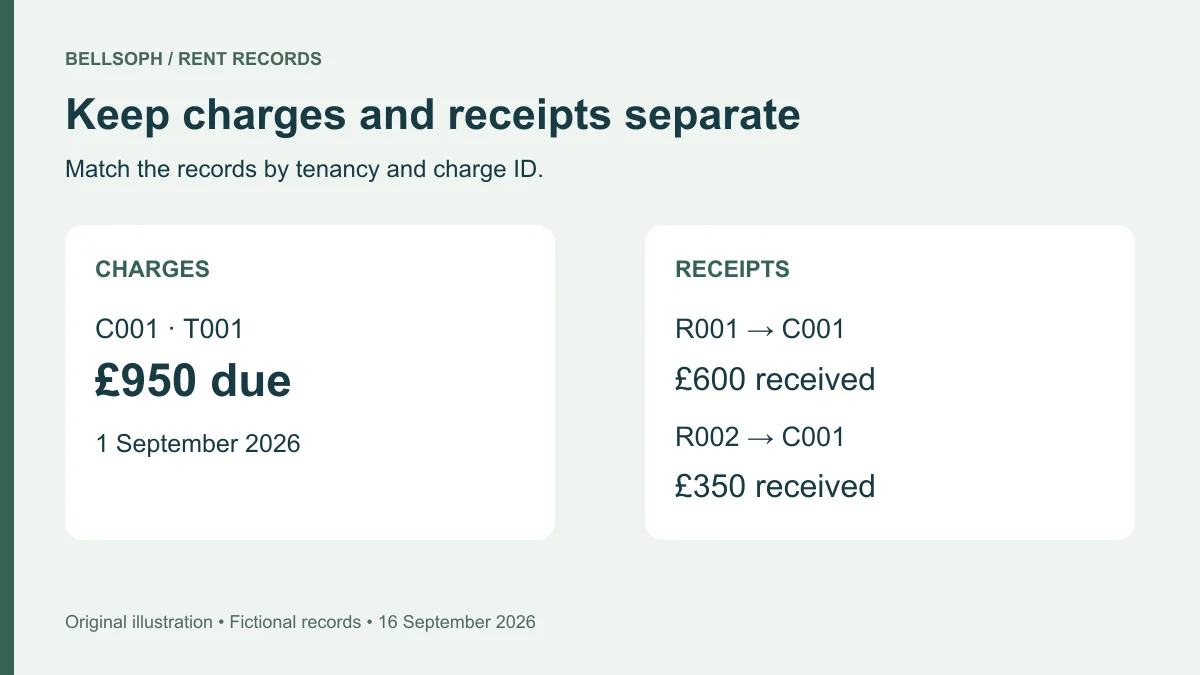
Record rent charges separately from payments received, then reconcile them by property, tenancy and date. A useful landlord rent tracker template preserves the original amount due and every receipt, so a part-payment, late bank entry or overpayment can be explained without rewriting history.
The downloadable workbook below includes separate Charges, Receipts and Credits registers and a formula-driven tenancy account. The copyable tables show the same approach. All examples are fictional. This is an operational record for UK landlords and agents, checked on 19 September 2026; it does not calculate tax liabilities or decide which legal recovery procedure applies.
Download the rent tracker and set the opening position
Download the landlord rent tracker workbook (XLSX). No registration is required. Save your own copy and replace the fictional entries before entering real records.
Start on Summary. Enter the property ID, tenancy ID, opening date, opening balance and as-of date. The workbook calculates dated charges, receipts and non-cash credits for that property and tenancy between the two dates, inclusive. A positive closing balance is outstanding in the ledger; a negative balance is an account credit.
The opening balance represents the position immediately before the opening date. For example, if you start on 1 September, use the checked closing position at 31 August. Keep the statement or previous ledger supporting that figure. Do not bring forward £350 and also re-enter the old unpaid £350 charge within the new period, which would count it twice.
The workbook provides 100 entry rows per register, rows 8–107. Yellow cells accept input and grey cells contain formulas. The registers flag missing required fields and duplicate IDs; resolve those warnings before relying on a balance. The formulas do not detect every error, including a plausible but incorrect amount or a duplicate bank transaction entered under different receipt IDs.
Extending beyond row 107 requires extending the summary ranges and input checks too. Simply typing below the prepared rows will not include the new entries. Keep a dated backup before changing formulas, and compare the results with a small account you can reconcile manually.
Copy the charges and receipts tables
Use permanent property and tenancy IDs. An address alone cannot distinguish an outgoing tenancy from a new one at the same home. Keep the identity mapping in a restricted record and use these references consistently across the ledger and supporting files.
Charges: what was due
Create one charge record for each rental period or separately documented adjustment. Preserve the due date and period, even when the payment arrives on another date.
| Charge ID | Property / tenancy | Due date | Rental period | Amount due | Invoice or reference |
|---|---|---|---|---|---|
| C001 | P001 / T001 | 1 Sep 2026 | 1–30 Sep 2026 | £950.00 | INV-001 |
Add an evidence reference and next-action field to your working table. The evidence may be the agreement or the documented basis for the charge; an invoice reference is optional if you do not issue invoices. Do not invent an invoice or assume that entering a revised amount establishes a valid rent change.
The charge register is not a list of bank deposits. It records the amount due, while the Receipts register explains how much was actually received. That distinction makes an unpaid period visible without changing the original charge to the amount paid.
Receipts: what actually arrived
Give each receipt its own ID, received date, amount and bank or cash-receipt reference. The charge-allocation field explains which charge it settles. A next-action field records unresolved matching work rather than automatically escalating it.
| Receipt ID | Property / tenancy | Received date | Amount | Bank reference | Allocation |
|---|---|---|---|---|---|
| R001 | P001 / T001 | 3 Sep 2026 | £600.00 | BANK-001 | C001 |
| R002 | P001 / T001 | 10 Sep 2026 | £350.00 | BANK-002 | C001 |
| R003 | P001 / T001 | 12 Sep 2026 | £25.00 | BANK-003 | Unallocated credit |
The workbook's tenancy total includes all receipts assigned to that tenancy, including unallocated amounts. Charge allocation is a reference field, not an automatic per-charge balance calculator. Review it separately before saying that a particular month has been settled.
If one receipt covers several charges, either list the charge IDs against that single receipt or split it into clearly labelled allocation rows with unique receipt IDs and the same bank reference. The split amounts must add up to the original payment. Never include both the original full amount and its allocation rows in the totals.
Credits: adjustments without new cash
Use Credits for a documented non-cash reduction, with its effective date, reason, affected charge and approval evidence. Enter a positive credit amount to reduce the balance. A reversal of that credit needs a clearly explained negative entry, retaining the original record.
A £25 overpayment already entered in Receipts must not also be entered as a £25 credit adjustment. It has reduced the tenancy balance once. Record its proposed treatment in the next-action field until it is confirmed.
For cash returned to the tenant, retain the original receipt and record the actual refund as a separate negative receipt with its payment reference. A refund and a non-cash credit have different effects, so do not use whichever entry happens to make the total look right.
Follow the £950 example through the month
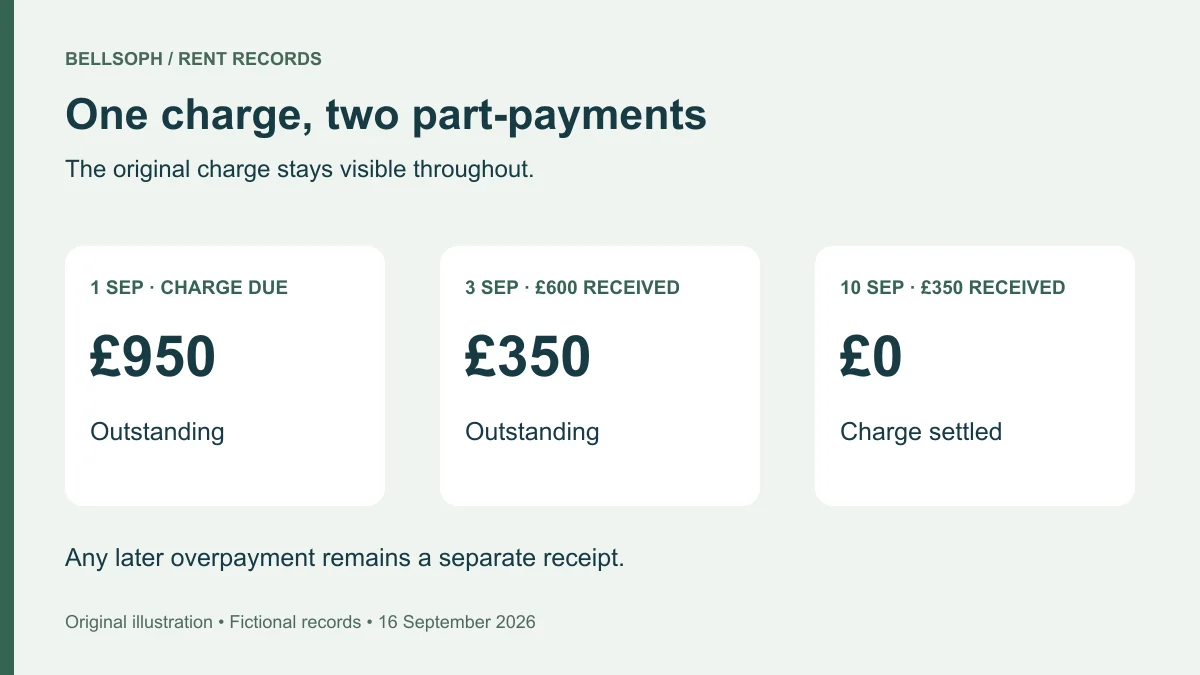
*Several receipts can settle one charge. Fictional amounts and dates.*
With a zero opening balance, £950 becomes due on 1 September. The first £600 receipt leaves £350 outstanding. The second £350 clears that charge. A further £25 received later leaves the tenancy account £25 in credit, pending allocation or another agreed treatment.
| Position checked | Charges to date | Receipts to date | Non-cash credits | Closing balance |
|---|---|---|---|---|
| 1 Sep | £950 | £0 | £0 | £950 outstanding |
| 5 Sep | £950 | £600 | £0 | £350 outstanding |
| 10 Sep | £950 | £950 | £0 | £0 |
| 16 Sep | £950 | £975 | £0 | £25 credit |
The calculation is opening balance + charges − receipts − non-cash credits. Dates and tenancy IDs determine which entries belong in the selected account. Future charges are excluded until their due dates fall within the period, so this view is not a forecast of all rent expected over the tenancy.
When a bank entry appears late
Suppose a tenant says they paid on Monday, but you cannot yet identify the payment in the account. Keep their message as evidence and record the matching task. Do not manufacture a receipt merely because the payment was promised or a screenshot was supplied.
When the receipt is confirmed, use the supported received date and retain any separate initiation date in the notes. If you discover it after sharing an account, save a corrected version and explain the changed entry. An entry date and a payment date describe different events.
When money cannot yet be allocated
If the amount arrived but the payer or tenancy is unknown, keep it in a separate reconciliation list until identified. Do not guess a tenant ID to clear a balance. Where the tenancy is known but the charge is uncertain, enter the receipt against that tenancy and label the allocation unresolved.
Before following up on an apparent shortfall, check both the charge-level allocation and the overall account. A £350 unmatched receipt elsewhere in the statement can explain a £350 ledger difference; the number alone does not prove that explanation.
Reconcile the account every week
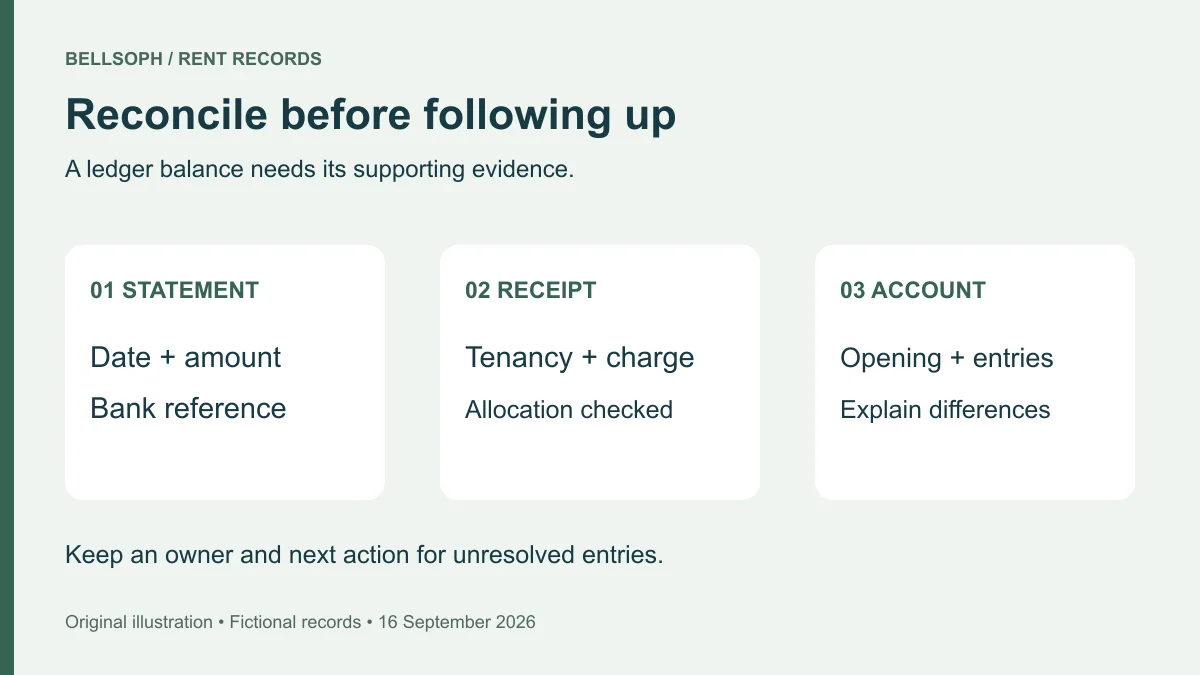
*Match the supporting records before sending a payment follow-up.*
A weekly review is a suggested operating routine, not a statutory interval. Set a consistent cut-off and work through the underlying transactions before relying on a coloured status or a total.
- Confirm the period. Check the opening balance, as-of date, property and tenancy. Make sure the period covers the records you intend to review.
- Check charges. Compare each due amount and rental period with its supporting record. Look for omitted periods and duplicated charges.
- Match receipts. Work from the statement or receipt evidence, using amount, reference and date together. Confirm that cash receipts also have supporting records.
- Reconcile splits and refunds. Add every allocation of one bank payment and compare it with the original amount. Keep refunds and reversals visible.
- Investigate differences. Review missing dates, duplicate IDs, unknown receipts, disputed charges and unallocated money. Record an owner and next action where another person needs to investigate.
- Save the checked position. Retain a dated version with the period and unresolved questions. A saved total should remain traceable to its underlying rows.
For a wider routine across several homes, use the guide to managing multiple rental properties. The rent check fits alongside repairs, documents and upcoming tasks, while this ledger provides the transaction detail. Once the actual account is reconciled, the monthly cash-flow calculator can explore future income and cost assumptions. Keep those estimates outside the rent ledger.
Prepare an understandable rent account
An account shared with a tenant, colleague or adviser should identify the property and tenancy, the period covered, the opening balance and its basis, each charge, each receipt, adjustments and the closing balance. Explain outstanding allocation questions in ordinary language.
HMRC's rental-income record guidance identifies letting dates, rent received, rent books, receipts, invoices and bank statements among the records to keep. This template is an original way to organise part of that evidence; HMRC does not prescribe its fields or certify its calculations.
Keep the original record when correcting an error. Use a dated reversal or adjustment and a reason that another person can follow. For a simple typing mistake caught before an account is issued, retain the correction in your change history. Once a version has been shared, identify the replacement version and the reason for the difference.
Before sending a selected tenancy account, check that the exported view includes only that tenancy. Hiding other rows or tabs in the full workbook does not remove the underlying information. Share a separate, checked extract through an appropriate restricted route.
Keep deposits, expenses and personal information separate
This workbook tracks rent-account movements. It does not calculate deposit deductions, expense claims, taxable profit or a tax return. Keep deposit records outside these rent totals and track property expenses separately. Do not subtract a repair invoice from rent receipts merely to produce a net cash figure.
Use short evidence references that authorised colleagues can resolve. A reference that only works on your laptop needs a usable shared location before handoff. Avoid putting full bank account numbers, identity documents or unrelated personal transactions into the ledger.
Under the UK GDPR storage-limitation principle, retention needs a justified purpose rather than indefinite storage. The ICO's current guidance says there is no single prescribed time limit for every type of personal data. Review what you hold and delete or anonymise it when no longer needed, taking applicable record requirements into account. The ICO flags this guidance as under review following the Data (Use and Access) Act; this statement was checked on 19 September 2026.
Use the landlord record-keeping checklist to organise supporting documents and record-specific retention reviews. A tenancy ending is a prompt to review its records, not an instruction to delete every document immediately.
Move from a spreadsheet to shared property records
A spreadsheet is easier to manage when one person owns the master version. If several colleagues enter payments, agree who can edit, who reconciles and how corrections are recorded. Avoid circulating multiple editable copies with the same filename.
When assessing a shared system, test a part-payment, an unallocated receipt and a correction before moving the whole portfolio. Check whether the original evidence remains accessible and whether an exported account preserves dates, IDs and balances. Bellsoph's approach to keeping property records and follow-up work together is a starting point for that assessment; confirm the exact rent workflow you need before transferring your records.
For migration, freeze a dated copy, reconcile each tenancy, preserve stable IDs and compare both row counts and totals after transfer. Open a sample of supporting references. Once checked, identify the new master record and keep the old workbook read-only so later corrections do not create two competing accounts.
Questions about rent tracking
How should I record a partial rent payment?
Keep the charge unchanged and add each receipt with its own date and reference. Allocate the receipts to the charge and compare their combined value with the amount due. The example above uses £600 and £350 against one £950 charge.
What happens when the rent changes?
Preserve earlier charges at their original amounts. Enter later charges using the supported new amount and effective period, and link the relevant record. The tracker does not establish whether the change is valid or supply the procedure for making it.
Can I reuse the same row when a tenant leaves?
Keep the outgoing tenancy's history and create a new tenancy ID. Do not rename the old account or transfer its balance to the incoming tenant. Reconcile each account independently, even where the property stays the same.
Does an outstanding balance prove legal arrears?
A balance reports the entries and dates in this ledger. Missing receipts, disputed charges or an incorrect opening figure can change it. Review the evidence and the relevant jurisdiction before any formal recovery action; this resource does not determine legal entitlement, interest or possession grounds.