
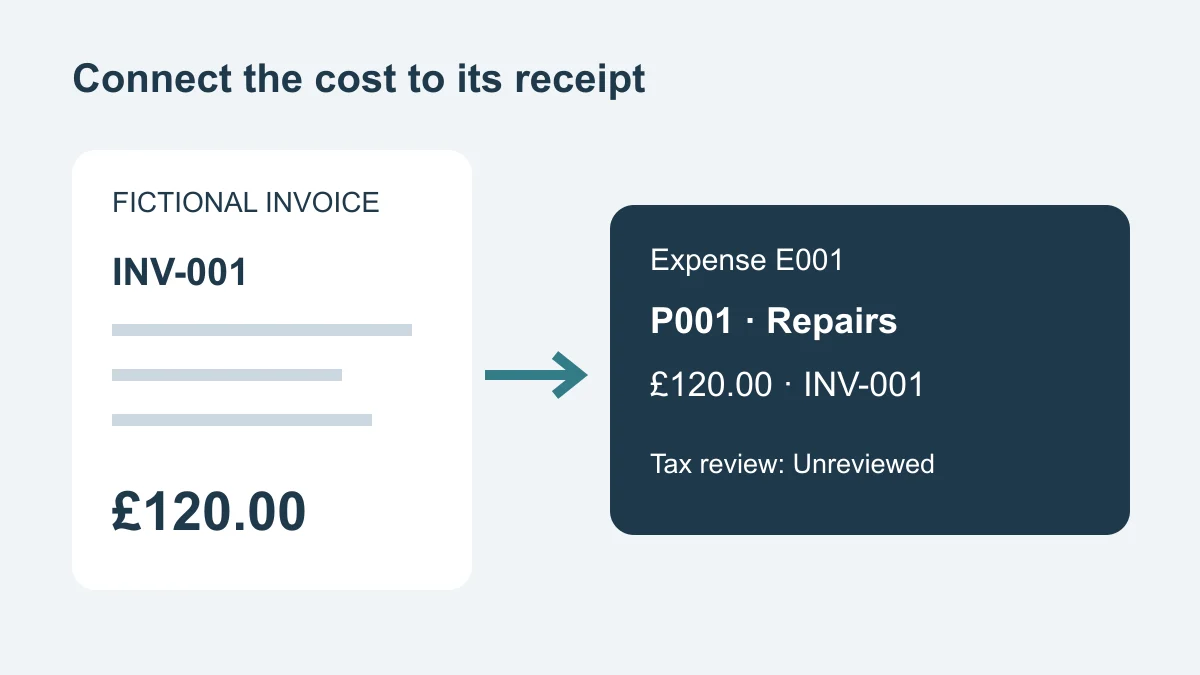
Use a landlord expenses spreadsheet to connect each cost with its property, supplier, payment and receipt, then reconcile the register against your bank statement. Keep uncertain items marked for review. A recorded expense is not automatically tax-deductible, and a standalone spreadsheet does not submit Making Tax Digital updates to HMRC.
The downloadable Excel expense register includes a blank working sheet and fictional examples. It is intended for UK individual landlords and small property-management teams organising records. The UK Income Tax guidance below was checked on 11 September 2026; tax treatment depends on your circumstances and should be confirmed with HMRC or a qualified adviser.
Copy the landlord expenses register
The workbook has two tabs: Register, with 200 blank entry rows, and Examples, showing a repair, its refund and one invoice shared between two properties. Keep your real records in Register. The examples are deliberately separate so they cannot silently inflate your totals.
Which columns should you keep?
Start with the following fields. The extra review columns help someone else understand a transaction without searching through messages.
| Field | What to enter | Why it helps |
|---|---|---|
| Expense ID and property ID | Permanent references such as E001 and P001 | Connect transactions without relying on similar addresses |
| Invoice date and paid date | Actual dates; leave paid date blank until paid | Separate a bill received from cash leaving the account |
| Supplier and category | Supplier name and an operational label | Find recurring suppliers and compare similar costs |
| Gross GBP | Positive cost or negative refund | Reconcile the full cash amount |
| Net GBP and tax GBP, optional | Use only when relevant and supported by the invoice | Preserve a breakdown without assuming VAT recovery |
| Receipt reference and payment method | Invoice filename/reference and payment account or method | Retrieve the evidence and match the bank entry |
| Allocation note and recurring flag | Explain shared costs; choose Yes or No | Avoid unexplained splits and duplicate recurring entries |
| Receipt status | Attached, Missing, Requested or Not applicable | Make missing evidence visible |
| Tax review, reviewer and next action | Unreviewed, Query or Reviewed; record who checked and what remains | Keep accounting decisions separate from data entry |
These are suggested management fields. They are not a claim that HMRC requires this exact table. HMRC's rental-income records guidance identifies receipts, invoices and bank statements among the supporting records to retain.
Use dates that the spreadsheet recognises as dates, and numbers without manually typing a pound sign into the cell. Currency formatting supplies the symbol. Leave unknown amounts blank while investigating them; zero means you have established there is no amount.
Begin with a small, checked batch
Enter one week's transactions before importing a year of records. In the workbook, the cash total adds gross amounts only where a numeric paid date is present. It includes all supported rows, even when you filter the table. It does not calculate taxable profit, exclude unreviewed costs or verify that a receipt exists.
Rows 9 to 208 are prepared for entry. If you need more, extend the table, total formulas and validation ranges together, then check the new last row. Keep one authoritative copy with a clear owner and a dated backup.
This compact table can also be copied into your own register; add the remaining fields above:
| Expense ID | Property ID | Paid date | Supplier | Gross GBP | Receipt | Tax review |
|---|---|---|---|---|---|---|
| E001 | P001 | 02/09/2026 | Example Plumbing | 120.00 | INV-001 | Unreviewed |
| E002 | P001 | 04/09/2026 | Example Plumbing | -20.00 | CN-001 / E001 | Unreviewed |
Reconcile receipts and payments each week
Work from both directions: every bank payment should have an explanation, and every expense row marked paid should match a payment. A tidy receipt folder alone cannot show that a bill was paid twice.
- Gather the statement, invoices, credit notes and agent statements for the period.
- Match each payment by amount, date and reference. Record which account or card was used.
- Attach the supporting reference to its expense row and check the property ID.
- Investigate unmatched payments, duplicate invoices and entries with no paid date.
- Give each unresolved item a next action, responsible person and review date.
- Save a dated reconciliation note with the period checked and remaining differences.
Where an agent deducts costs before transferring rent, use the statement to identify the underlying transactions. Do not record the same fee again when importing the bank transfer. Agree the accounting entries with whoever prepares your books, especially where gross income and net remittances differ.
When a receipt is missing
Keep the transaction visible, mark the receipt Missing or Requested, and ask the supplier for a duplicate. Retain the bank reference and a factual description while you investigate. Do not create a receipt or mark evidence attached simply to close the row.
When the document arrives, confirm its supplier, date and amount before updating the reference. Attached describes evidence availability; Reviewed describes a separate tax review. Neither field proves the other task is complete.
Keep refunds as separate rows
The fictional £120 repair and £20 refund produce £100 net cash spent. Keep the £120 entry and add a negative £20 row linked to the original expense and credit note. Replacing the first row with £100 would obscure the two bank transactions and their dates.
If a credit note only reduces an unpaid balance, do not give it a received date or treat it as cash returned. Record the settlement accurately and ask your bookkeeper how to represent the adjustment in the accounting records.
Split a shared invoice without doubling it
Suppose a fictional £300 maintenance invoice relates to P001 and P002. The documented management allocation is £180 and £120. Enter those two allocated amounts, each referencing the same invoice and explaining the split. Their total must be £300. Do not also enter a third £300 expense row.
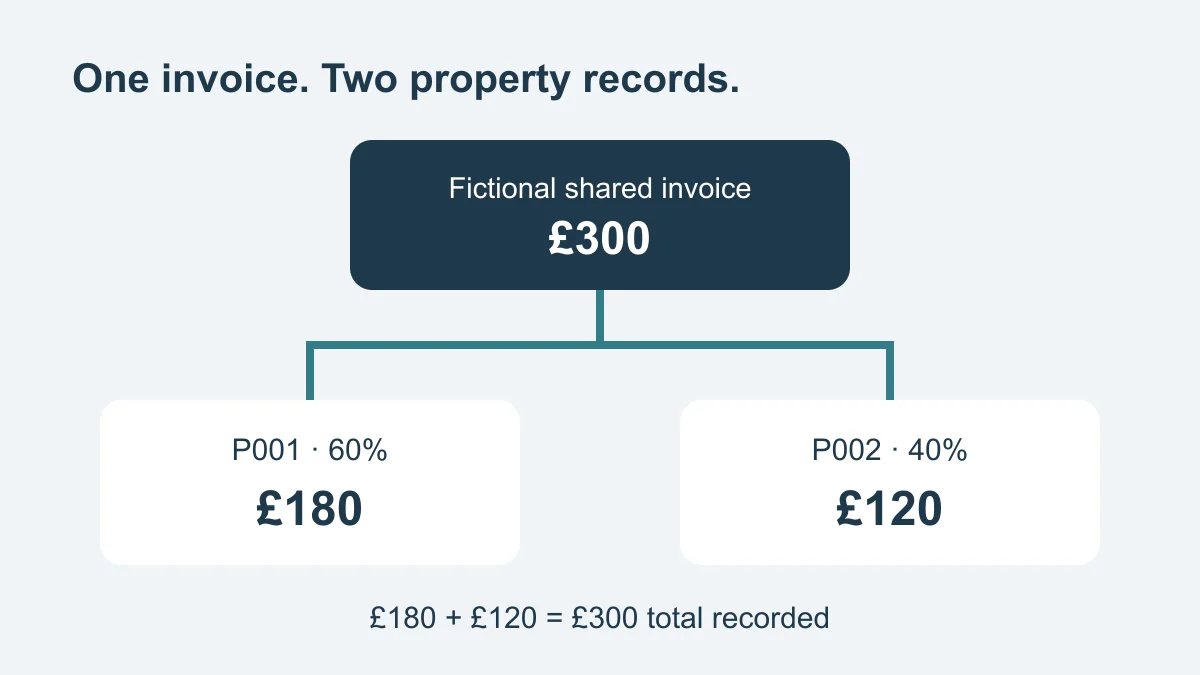
*Allocation totals should match the original invoice. Fictional management example.*
Choose a basis supported by the work or invoice, rather than an arbitrary split. Shared management allocation does not decide a co-owner's taxable share or make a private element deductible. Keep any ownership or private-use question in the tax-review field.
Keep expense categories separate from tax decisions
Operational labels such as repairs, insurance, utilities, agent fees and maintenance make spending easier to find. They do not establish what can be claimed on a return.
HMRC's guidance on working out rental income distinguishes allowable costs from private spending and capital improvements. It also explains restrictions affecting residential property finance costs. Do not treat a whole mortgage payment as an ordinary deductible expense or assume every renovation is a repair.
For a doubtful item, record what happened, attach the invoice and describe the question. Ask the reviewer to confirm the treatment and accounting period, then retain their decision. Keeping both invoice and paid dates helps that discussion without assuming that one accounting basis suits every landlord.
The landlord costs calculator can help explore a planning scenario. Keep its estimates separate from actual payments and your reviewed accounting records.
What MTD changes for affected landlords
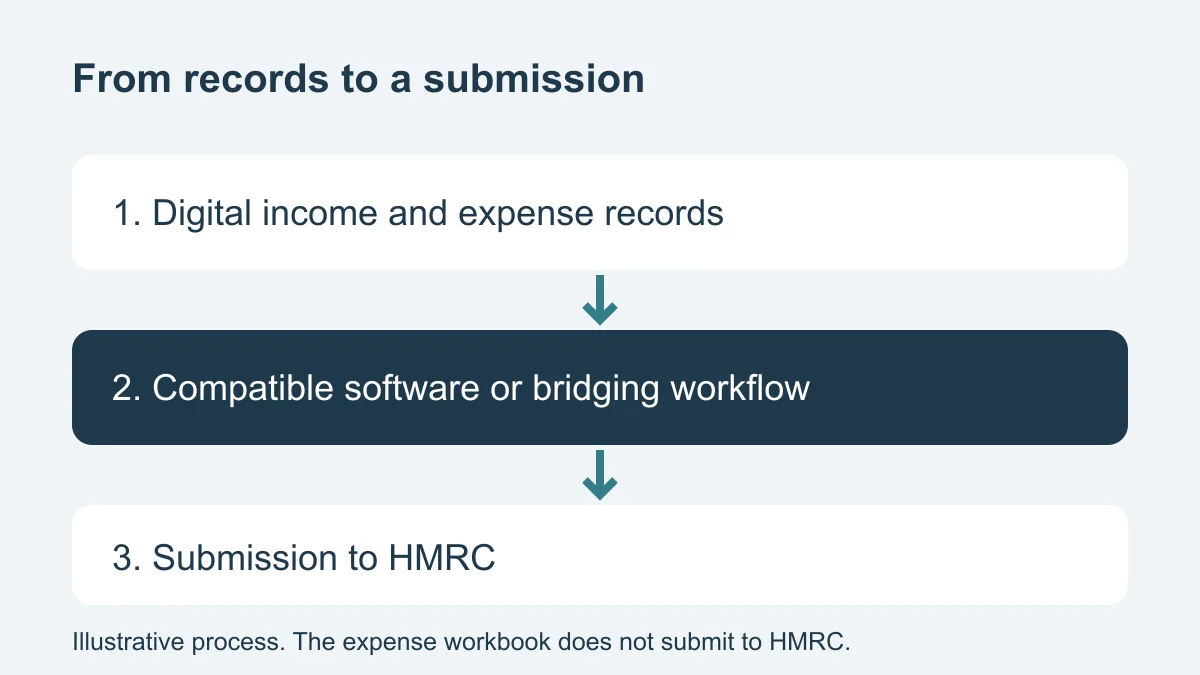
*Record keeping and tax submission are separate steps. Illustrative workflow, not a product integration.*
Check qualifying income before assuming you are in scope
For the 2026/27 tax year, non-exempt individuals with qualifying income over £50,000 in 2024/25 were required to use Making Tax Digital for Income Tax from 6 April 2026. The current HMRC collection explains the scope and routes to eligibility and exemption guidance.
Qualifying income generally combines gross self-employment and property income before expenses. PAYE salary, pensions and dividends do not count towards that total. Joint ownership, residence and ceased income sources can affect the assessment, so use the detailed guidance for your circumstances.
For example, £28,000 gross rent plus £24,000 self-employment income gives £52,000 qualifying income. A £30,000 PAYE salary alongside £28,000 gross rent does not, by itself, turn that rent into £58,000 qualifying income. These examples explain the calculation, not an individual eligibility decision.
If HMRC has signed you up
HMRC announced on 12 August that staged sign-up would start from September for people required to use MTD in 2026/27 who had not enrolled. This does not mean every landlord became newly liable in September or has already been signed up.
If contacted, follow HMRC's recipient guidance, updated 11 September: check your online account and income-source details, arrange compatible software, and catch up on required records and updates. The guidance distinguishes income sources that ceased before 6 April from those that ceased on or after that date. Check the applicable branch if your circumstances changed.
Can Excel form part of the workflow?
Yes. HMRC's software guidance explains that bridging software can connect spreadsheet records to HMRC submissions. Check that the chosen products support your income sources, accounting period and required submissions.
HMRC's digital-record guidance explains digital linking between products, including appropriate CSV import and export. It says records already sent in a quarterly update must not then be moved manually by retyping or copy and paste. Confirm the complete transfer process with your provider or agent.
Property IDs help management reporting. HMRC treats UK properties as one UK property business for this purpose and does not require separate digital records for every UK property. Retain the detail you need without confusing it with separate submission obligations.
What this download cannot submit
This workbook has no HMRC connection, income ledger or tax-return calculation. It has not been recognised by HMRC as compatible software. Using it alone does not meet the whole MTD process, and Bellsoph is not described here as an MTD filing service.
For 2026/27, HMRC's penalty guidance says missing a quarterly-update deadline does not attract a penalty. Record keeping and updates still matter, and separate tax-return and payment consequences remain. Do not interpret the quarterly concession as permission to ignore your account or tax deadlines.
Use the landlord record keeping checklist to organise receipts and property documents, link versions and review missing delivery evidence.
Prepare a clear accountant handoff
Send the register with its evidence and a short list of unresolved questions. A total without its underlying rows makes it harder to spot duplication, missing refunds or the wrong property.
- State the period covered, accounts checked and accounting basis used, if agreed.
- Include invoice and paid dates, receipt references and allocation explanations.
- Identify missing documents and unresolved tax-review items explicitly.
- Reconcile total recorded cash to the relevant statement entries, explaining differences.
- Keep unpaid bills and non-cash adjustments distinguishable from payments.
- Agree how reviewed classifications and corrections will return to your records.
Before sharing, test several receipt references using the recipient's intended access method. A link that works only on your laptop is not a usable handoff. Share only the necessary records through an agreed access-controlled route; tenant identity documents and unrelated personal banking details do not belong in this expense workbook.
When a shared property system helps
Spreadsheets can work well with one owner and a consistent review routine. Consider a shared system when several people update costs, receipts become detached from rows or nobody can identify the current version.
The portfolio-management guide explains how expenses fit alongside rent, repairs and property records. To assess a system, test whether the team can retrieve an invoice from a property, identify unresolved work and export usable records. You can explore Bellsoph's approach to keeping property records and follow-up work together, then confirm any accounting integration separately.
For migration, take a dated copy, preserve expense and property IDs, compare row counts and totals, and open a sample of receipts after import. Keep the old register read-only once the transfer has been checked. Record later corrections in the agreed authoritative system so two versions do not drift apart.
Questions about landlord expense spreadsheets
Does my salary count towards the MTD threshold?
PAYE employment income does not count as qualifying income. Use the HMRC qualifying-income guidance linked above to assess property and self-employment income and any relevant exceptions.
Is every cost in the register deductible?
No. The register records costs and evidence. Tax treatment needs a separate assessment, particularly for private use, capital works, finance costs and shared ownership.
What if I have more than one rental property?
Use permanent property IDs in one consistent register. Filter to inspect a home, but remember the workbook's cash total includes all supported rows. Keep shared invoice allocations traceable to the original total.
Sources
- GOV.UK: Rental-income records · Accessed 11 Sept 2026
- GOV.UK: Working out rental income · Accessed 11 Sept 2026
- GOV.UK: Making Tax Digital for Income Tax · Accessed 11 Sept 2026
- GOV.UK: Qualifying income · Accessed 11 Sept 2026
- GOV.UK: Create digital records · Accessed 11 Sept 2026
- GOV.UK: Choose compatible software · Accessed 11 Sept 2026
- GOV.UK: If HMRC signed you up · Accessed 11 Sept 2026
- GOV.UK: MTD penalties · Accessed 11 Sept 2026
- GOV.UK: August MTD announcement · Accessed 11 Sept 2026